Help for Lectra Notes on iPhone and iPad.
Lectra Notes is a free iPad and iPhone app from Scope for handwritten notes and Apple Pencil PDF markup, with Python notebooks, a terminal, and Git that run on the device. This page covers importing course PDFs, organizing readings, annotating, exporting, and moving finished files through connected Scope workflows.
Looking for Lectra SA’s fashion software or a different study app called Lectra? This page is only about Lectra Notes.
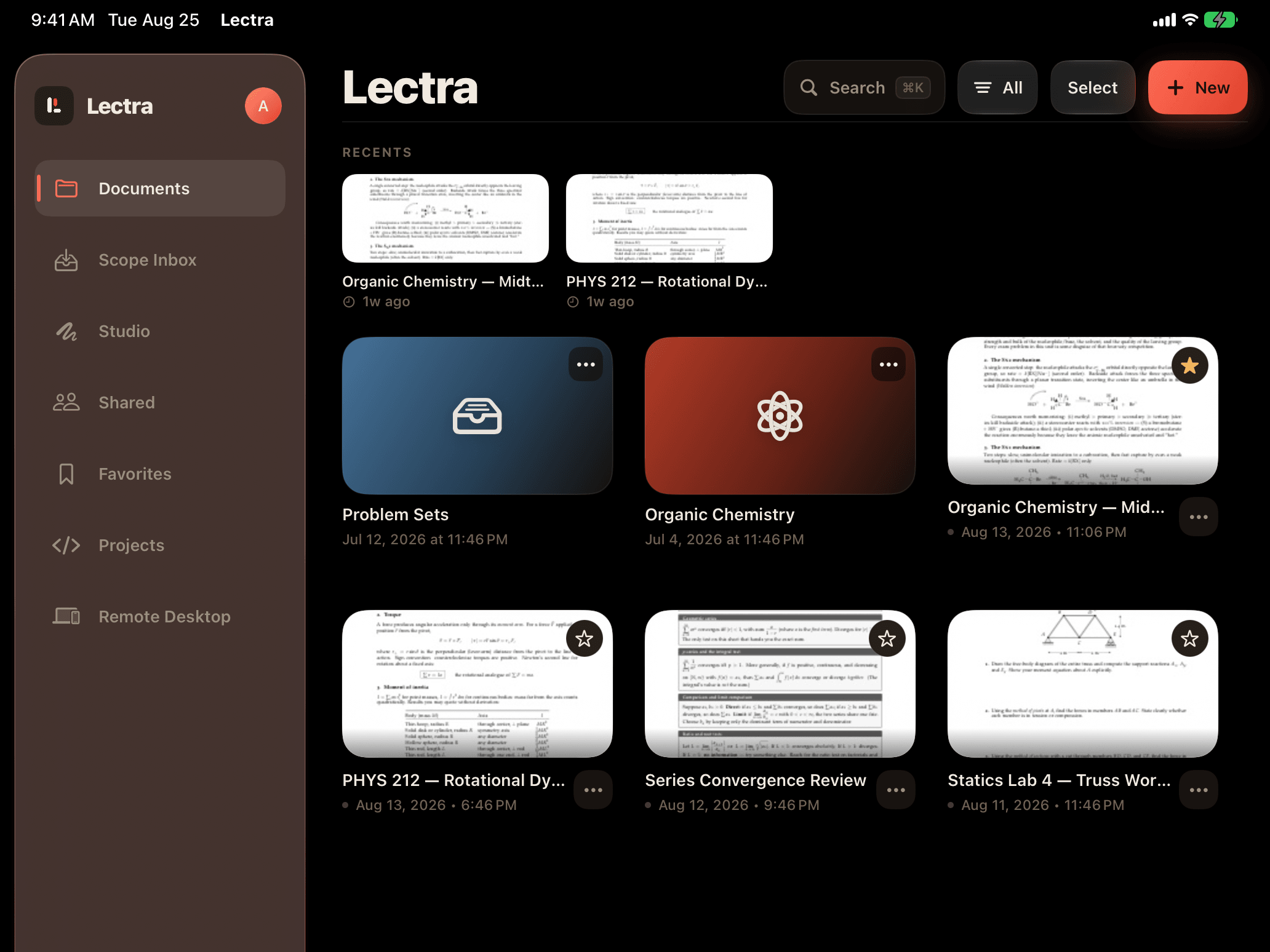
Start here.
Importing documents
Use the in-app import controls or the iOS share sheet to bring PDFs into Lectra Notes. If a file does not appear, check that it is a PDF and try again from Files.
Scope handoff
For connected workflows, sign in with the same account in Lectra Notes and Scope. Documents sent from Scope may take a moment to appear.
Annotations and exports
If a finished PDF looks incomplete after export, reopen the document in Lectra Notes, wait for it to finish saving, then export or send the file again.
Account and privacy
You can delete your account from inside Lectra Notes. Privacy, data use, and retention details are in the Scope privacy policy.