For journalists, bloggers, and anyone writing about Scope
Press kit
Everything here may be reused to write about Scope for Canvas and Lectra Notes. A link back is appreciated but not required. Facts are dated so you can tell how fresh they are, and corrections go to canvascopeextension@gmail.com.
The short version.
- Company
- Scope Inc., formerly Canvascope. Renamed July 2026. Read the announcement.
- Founder
- Noel Sason, UC Berkeley.
- Products
- Scope for Canvas, the free Chrome extension, version 11.0.5.
- Lectra Notes, the free iPad and iPhone app, version 9.0.
- Lectra for Mac, the free Mac app.
- Polya, on the web.
Versions as listed on the Chrome Web Store and the App Store on September 17, 2026.
- People using it
- 104 across Scope and Lectra Notes, counted by hand on August 27, 2026. How we count.
- Store listings
- The Chrome Web Store showed 94 users and 5.0 from 6 ratings, and the App Store showed 5.0 from 7 ratings. Both as of September 17, 2026.
- Works with
- Canvas and Brightspace. No app syncs with Canvas automatically.
- Pricing
- Free. No subscription.
- Privacy
- Search and indexing run entirely on your device. Optional cloud features are clearly marked. Privacy policy.
What each product is, in one sentence.
Use these sentences word for word.
Scope for Canvas
Scope for Canvas is a free, local-first Chrome extension that searches everything in your Canvas and Brightspace courses and answers questions with citations to your own course materials.
Lectra Notes
Lectra Notes is a free iPad and iPhone app from Scope for handwritten notes and Apple Pencil PDF markup, with Python notebooks, a terminal, and Git that run on the device.
Ready-made paragraphs at three lengths.
Written to be quoted as is. Every claim in them is true of the versions listed above on September 17, 2026. If a later release changes something, the fact sheet is updated first.
Scope for Canvas
25 words
Scope for Canvas is a free Chrome extension that searches Canvas and Brightspace courses on the device and answers questions with citations to course materials.
60 words
Scope for Canvas is a free Chrome extension for students whose courses run on Canvas or Brightspace. It indexes assignments, files, pages, modules, and announcements on the student's computer, so previously indexed materials stay searchable when the learning-management system is down. Questions are answered from the materials instructors posted, with every answer linked to its source. There is no subscription.
150 words
Scope for Canvas is a free Chrome extension from Scope (formerly Canvascope) for students whose courses run on Canvas or Brightspace. It builds a searchable index of assignments, files, pages, modules, announcements, and PDFs, including scanned ones, on the student's computer, so a course can be searched in one place and previously indexed materials stay available when the learning-management system is down. Questions are answered from what instructors posted, with every answer linked to its source page or document. AI answers try Chrome's on-device model first, and when it is unavailable, an optional, clearly marked cloud fallback is used. The extension can draft a study plan from upcoming deadlines and send a PDF to Lectra Notes on an iPad in one tap. It does not take quizzes, write submissions, or interact with Canvas quiz logs. Scope for Canvas is free with no subscription, and was built by a UC Berkeley student.
Lectra Notes
25 words
Lectra Notes is a free iPad and iPhone app for handwritten notes and Apple Pencil PDF markup, with offline Python notebooks, a terminal, and Git.
60 words
Lectra Notes is a free iPad and iPhone app from Scope for students who take notes by hand and write code. It handles handwritten notebooks and Apple Pencil markup on PDFs, and adds a computing environment: Python notebooks, a code editor, a terminal, and Git, all running on the device without a network connection. No subscription, no tiers, no ads.
150 words
Lectra Notes is a free iPad and iPhone app from Scope (formerly Canvascope) for students who take notes by hand and write code. It covers the expected ground, with handwritten notebooks on lined, grid, dotted, and Cornell paper, Apple Pencil markup on PDFs, a document scanner, folders, tags, and search that reads handwriting. It also adds a computing environment that note-taking apps rarely have: Jupyter-compatible Python notebooks, a code editor, a terminal with Git, and remote development over SSH, running on the device and working offline. Exports keep the PDF's selectable text, and a hybrid export opens in any PDF reader and re-imports with editable ink. On supported devices, on-device study tools produce summaries, flashcards, and quizzes from a document. A free companion app, Lectra for Mac, lets the iPad see and control a Mac. Lectra Notes has no subscription, tiers, ads, or tracking, and was built by a UC Berkeley student.
Files you can use.
Please do not stretch, recolor, or add effects to the marks. Higher resolutions, the marks on other backgrounds, and screenshots of a specific feature are available on request at canvascopeextension@gmail.com.
 /brand/scope-icon-512.png
Scope app icon, 512 × 512 PNG with transparency. The icon used on the Chrome Web Store and the sign-in screen.
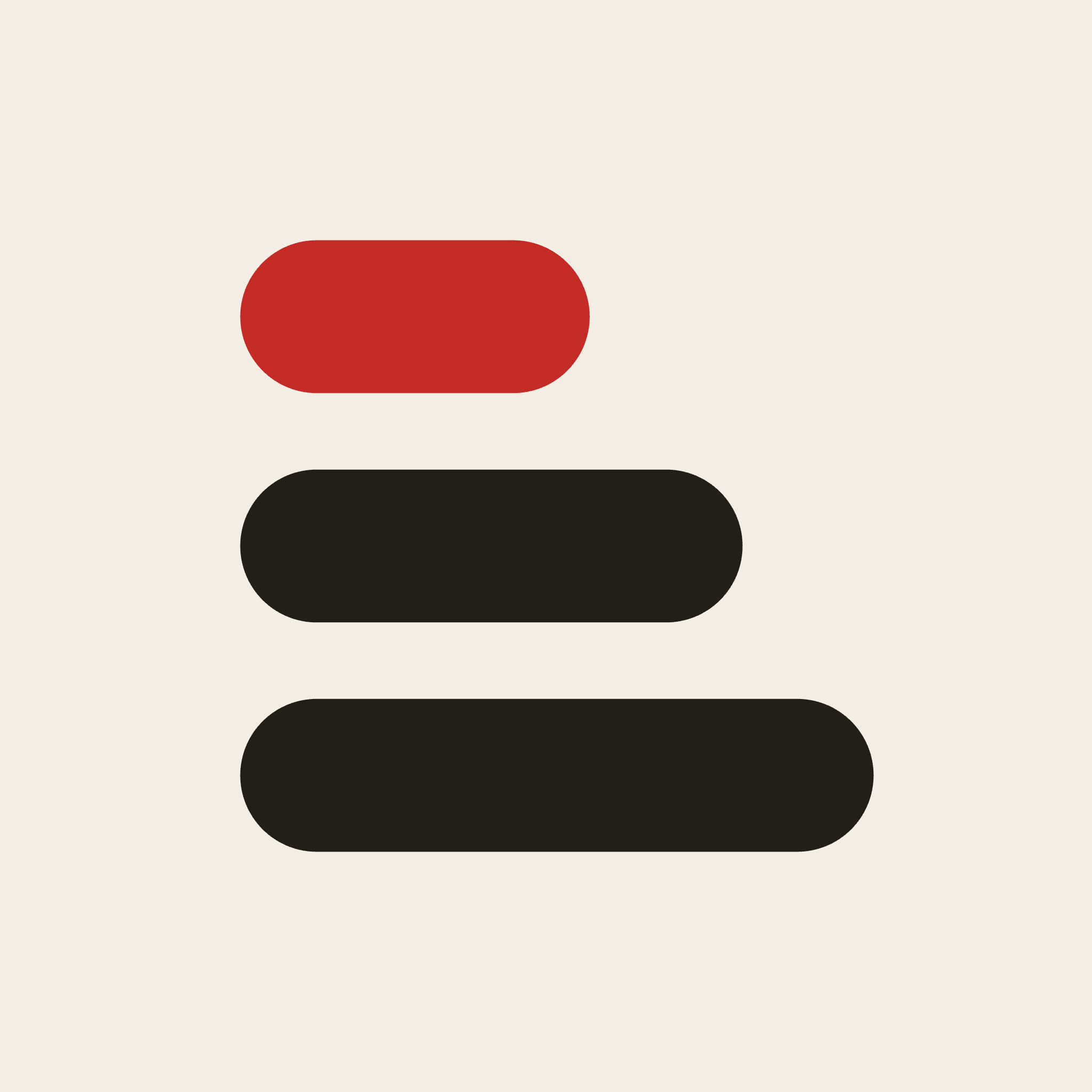
 /brand/scope-mark-plaster-2048.png
Scope mark on its plaster background, 2048 × 2048 PNG. Use this where a square logo with a solid ground is needed.
 /brand/scope-mark.svg
Scope mark, vector, for light backgrounds. Three rounded bars, the top one red.
 /brand/scope-mark-dark.svg
Scope mark, vector, for dark backgrounds. Same shape with light bars.
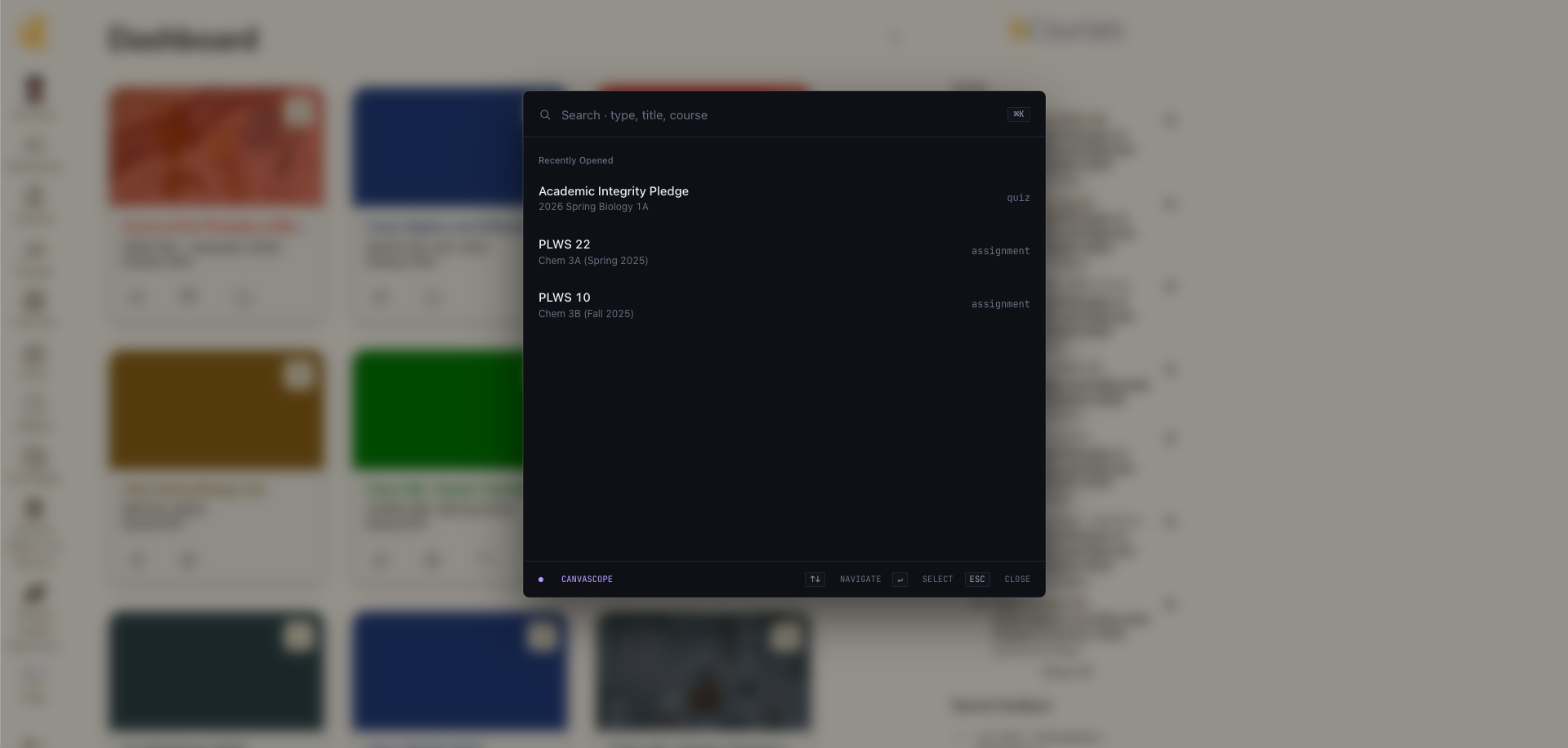
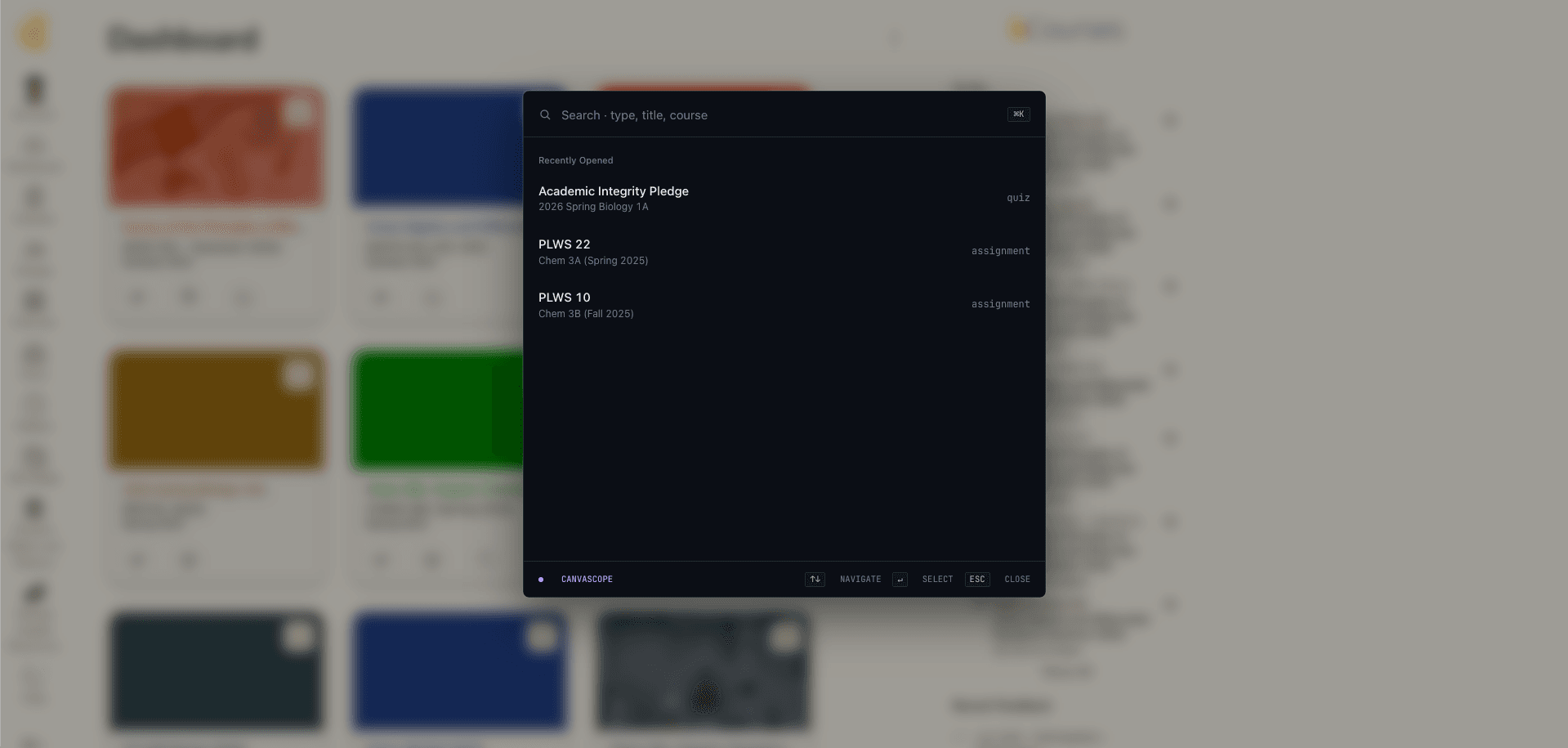 /brand/canvascope-extension-screenshot.png
Scope for Canvas search window open over a Canvas dashboard, 1919 × 915 PNG. It was recorded under the previous name, so the footer of the window reads Canvascope.
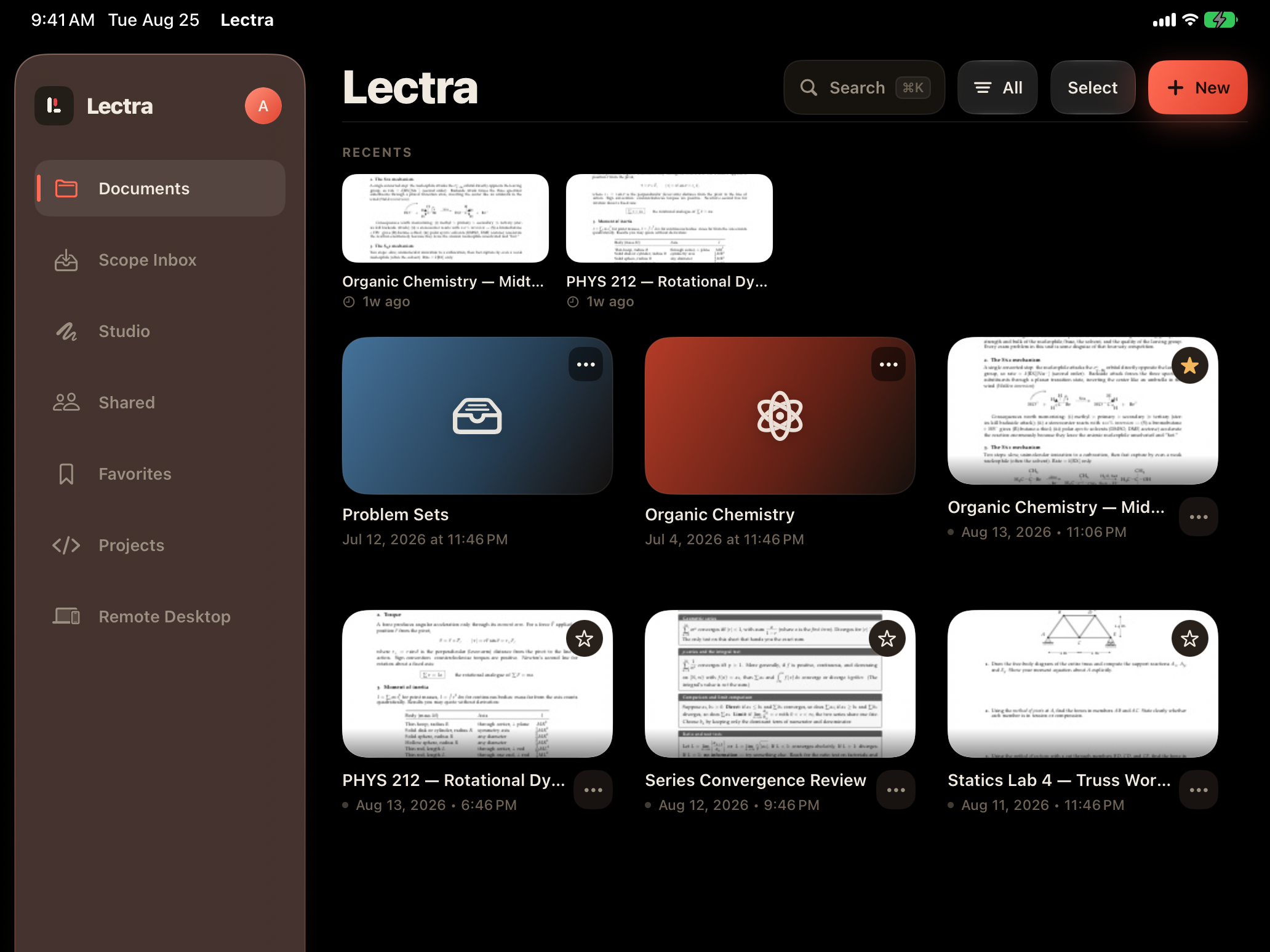
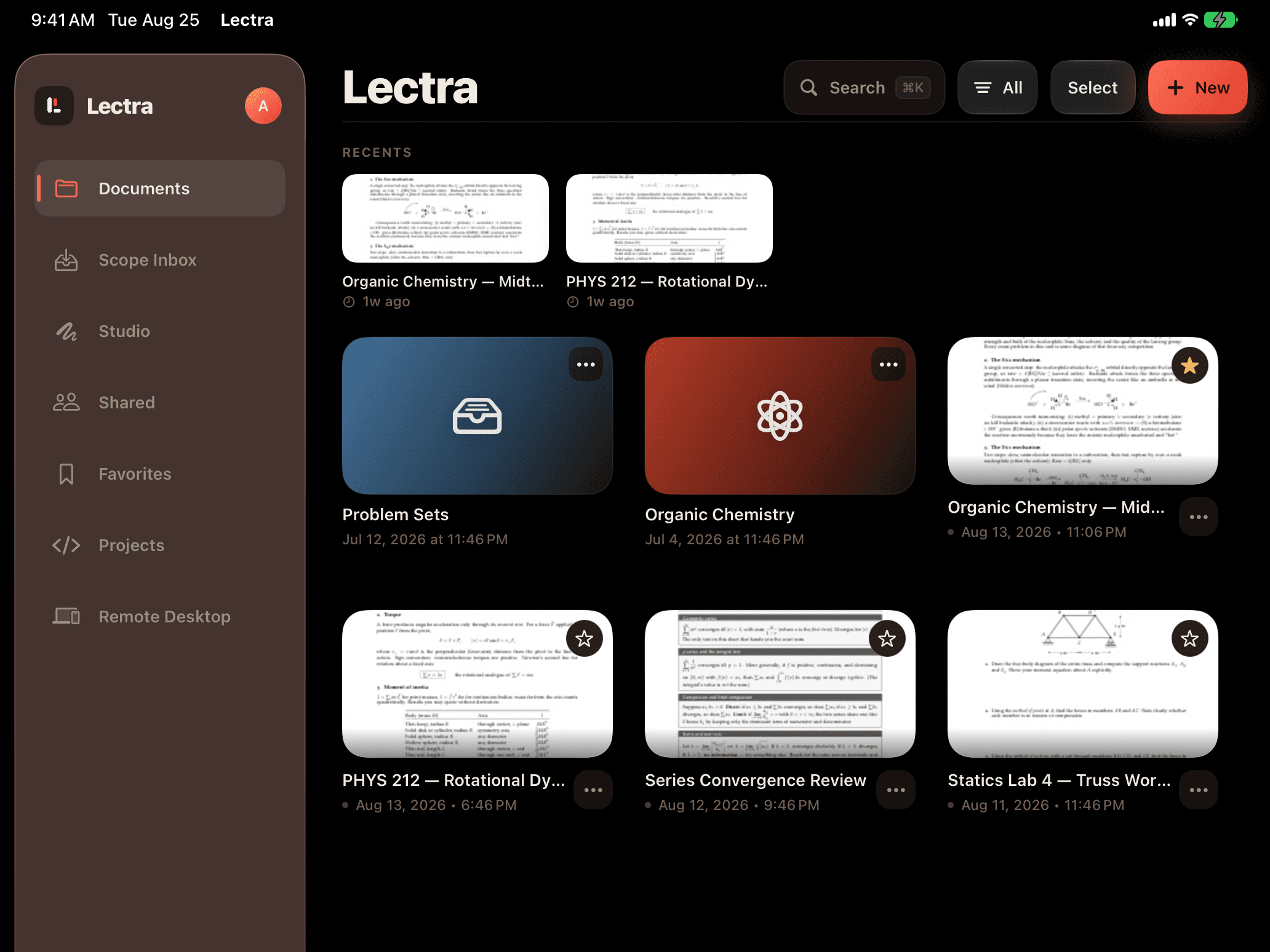 /brand/lectra-library-ipad.png
Lectra Notes document library on iPad, landscape, 2064 × 1548 PNG. Sidebar with Documents, Scope Inbox, Studio, Projects, and Remote Desktop.
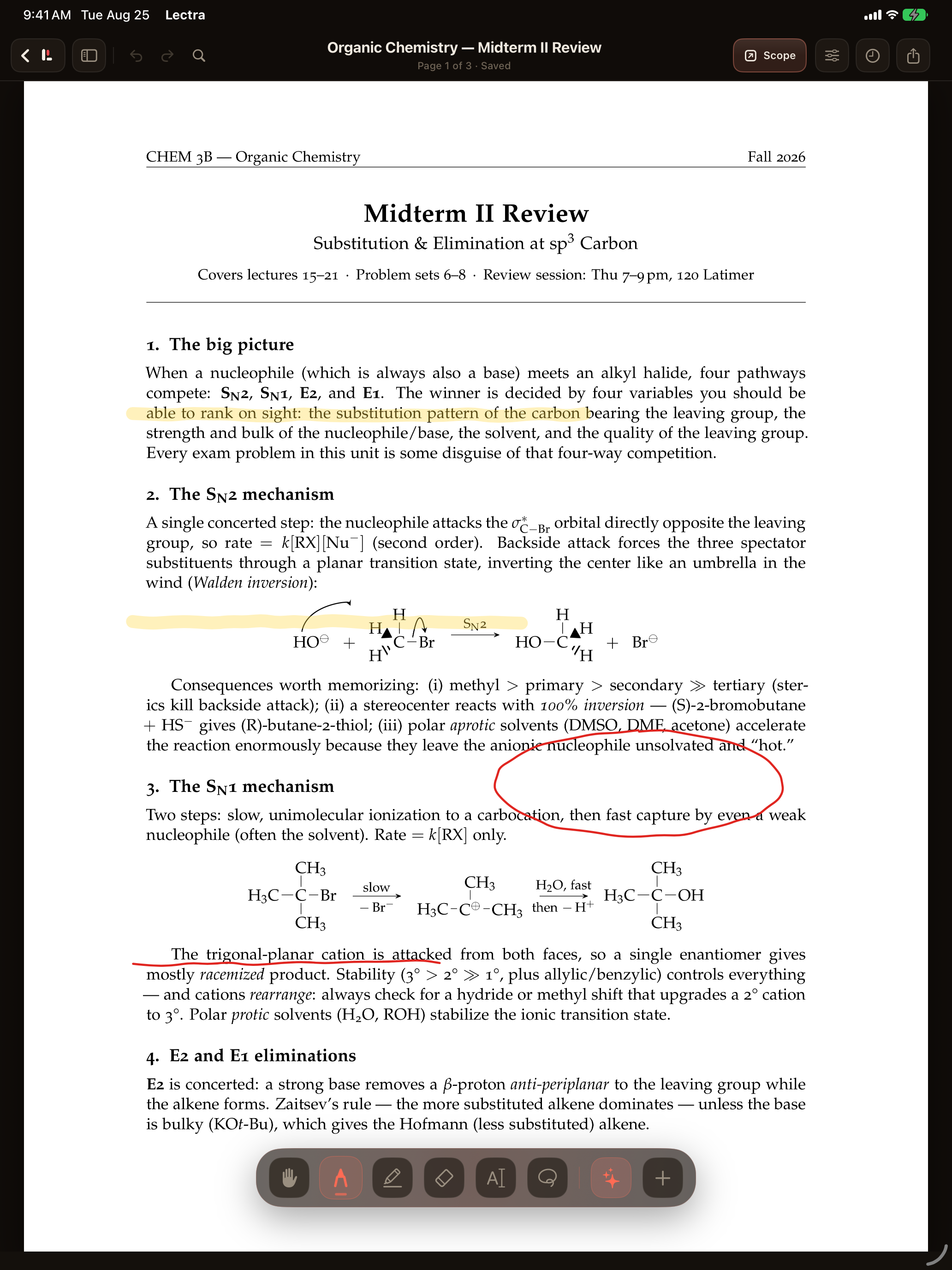
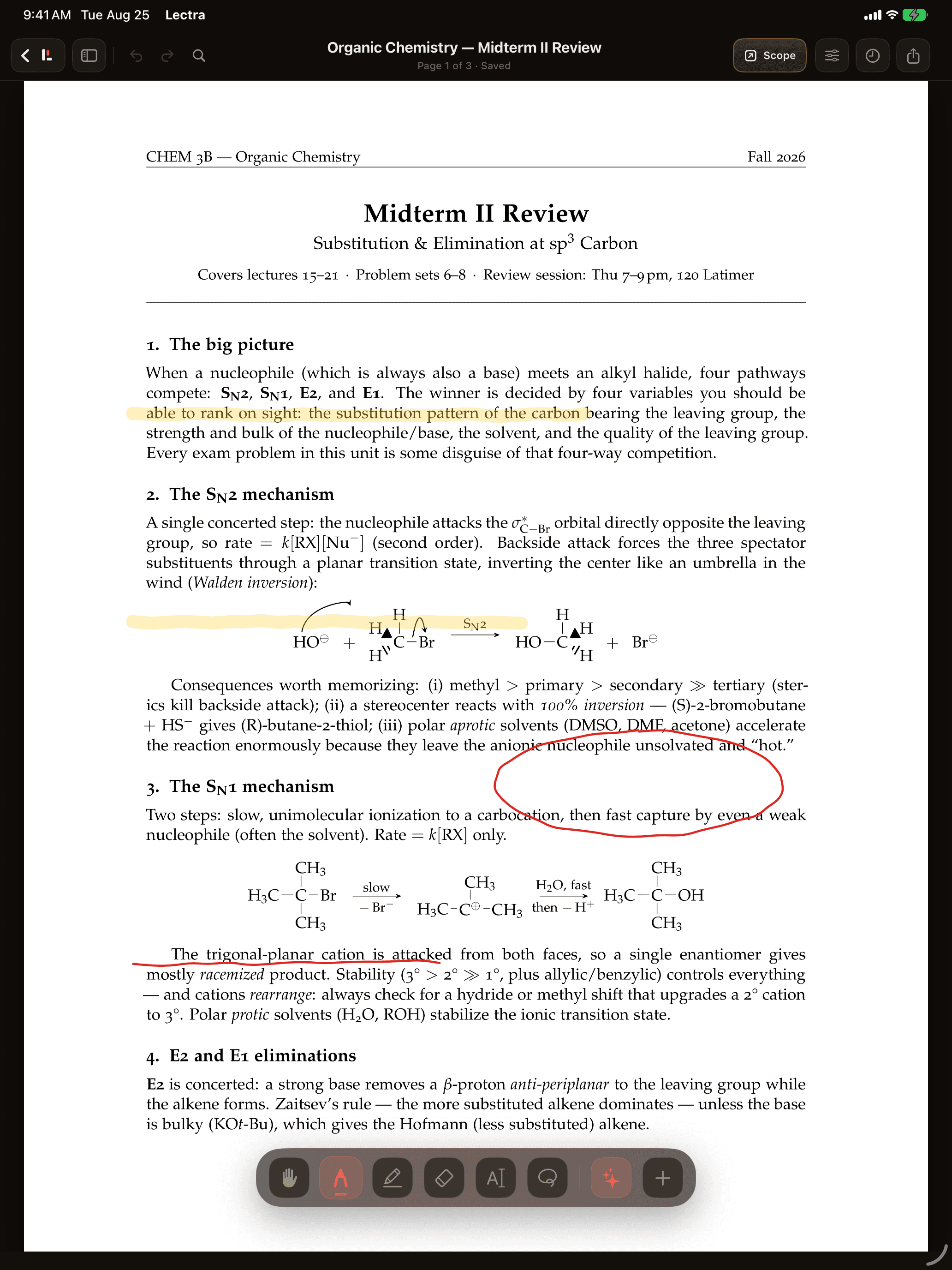 /brand/lectra-markup-ipad.png
Lectra Notes marking up an organic chemistry review PDF on iPad, portrait, 2064 × 2752 PNG. Highlighter, pen, and the Scope button visible.
 /brand/lectra-canvascope-lockup.png
The Lectra Notes and Canvascope wordmarks side by side, 1024 × 1024 PNG. It carries the previous company name, so use it only when the older branding is the subject.
 /brand/lectra-mark.png
Lectra Notes app mark on a dark ground, 1024 × 1024 PNG. A page with a red pen.

How to write the names.
- Scope for CanvasThe Chrome extension. Use the full name on first mention, and “Scope” or “the Scope extension” after that. It works with Canvas and Brightspace even though only Canvas is in the name.
- Lectra NotesThe iPad and iPhone app. Always write “Lectra Notes” and never “Lectra” on its own, because the bare word is shared with unrelated apps and with Lectra SA, the French fashion-technology software company, which has no connection to us.
- Lectra for MacThe free Mac app that pairs with Lectra Notes. It replaced an earlier companion app called Lectra Receiver. The old name still resolves but should not appear in new writing.
- Scope (formerly Canvascope)The company, on first mention where the old name matters, for example when linking to coverage from before July 2026. Otherwise just “Scope”. The legal name is Scope Inc.
- PolyaThe web tutor. One word, capital P, no article.
- Canvas, BrightspaceCanvas belongs to Instructure and Brightspace to D2L. Scope is not affiliated with or endorsed by either. No app syncs with Canvas automatically.
What we do and don’t do for coverage.
We do not pay for coverage, offer reciprocal links, or provide review copies in exchange for a particular verdict. Both products are free, so there is nothing to give. Write what you find.
If we got something wrong on this page, or you find a claim of ours that does not hold up, tell us at canvascopeextension@gmail.com and we will correct it and date the correction. Our own comparison pages name where other apps are better, and you are welcome to hold us to the same standard.
One boundary worth knowing before you write: Scope answers questions from the materials your instructors posted and links every answer to its source. It does not take quizzes, write submissions, or interact with Canvas quiz logs.
Need something that isn’t here?
Email canvascopeextension@gmail.com for interviews, more screenshots, or a fact check on a draft. We answer from the same inbox students write to, so replies are quick but not instant.